> For the complete documentation index, see [llms.txt](https://docs.antbuddy.com/llms.txt). Markdown versions of documentation pages are available by appending `.md` to page URLs; this page is available as [Markdown](https://docs.antbuddy.com/tai-lieu-antbuddy-huong-dan-su-dung-antbuddy-docs-user-guide/huong-dan-su-dung-quan-tri-khach-hang-antcrm-antcrm-customer-management/chat-da-kenh-conversation/instagram/1.-lam-the-nao-de-tich-hop-instagram-vao-tin-nhan-da-kenh-instagram-integration.md).
# 1. Làm thế nào để tích hợp Instagram vào Tin nhắn đa kênh (Instagram integration)
Hướng dẫn kết nối Instagram Business với Fanpage Facebook, tích hợp vào omnichannel
Việc kết nối tài khoản Instagram doanh nghiệp với Fanpage giúp doanh nghiệp đồng bộ các tin nhắn từ Instagram về nền tảng Omni Channel để tiện xử lý và bán hàng.
## 1. Thiết lập tài khoản Instagram Business
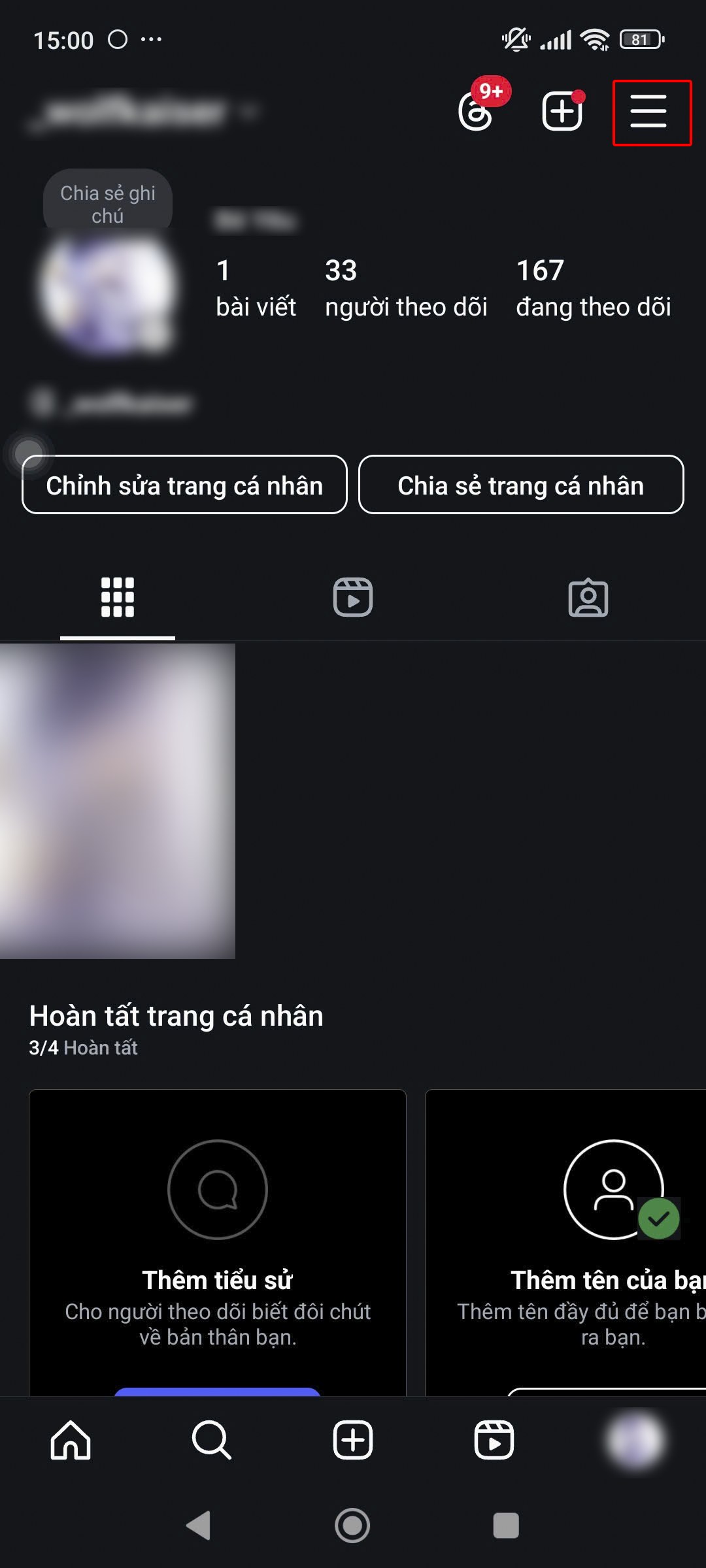
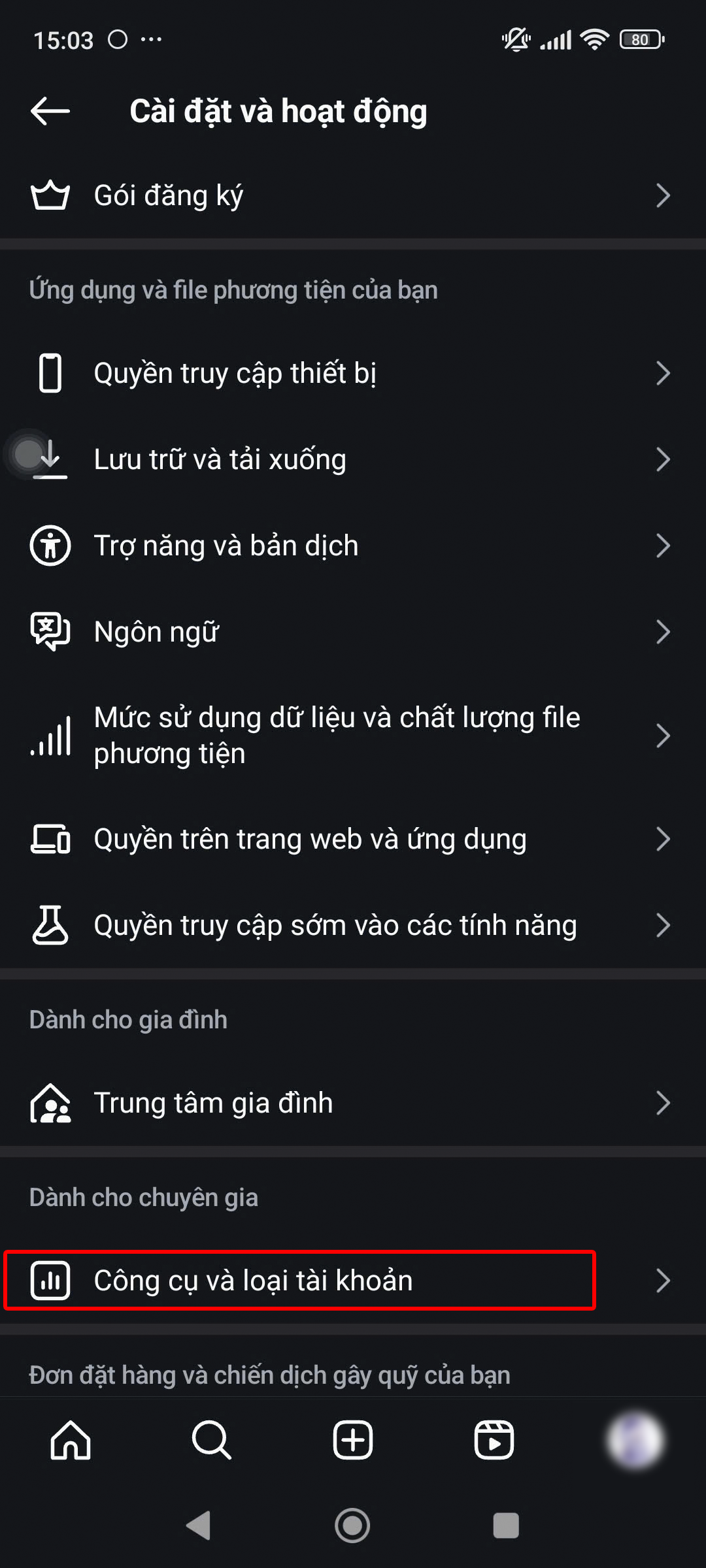
Nhấn icon  để chuyển sang phần cài đặt, sau đó kéo xuống và chọn Công cụ và loại tài khoản
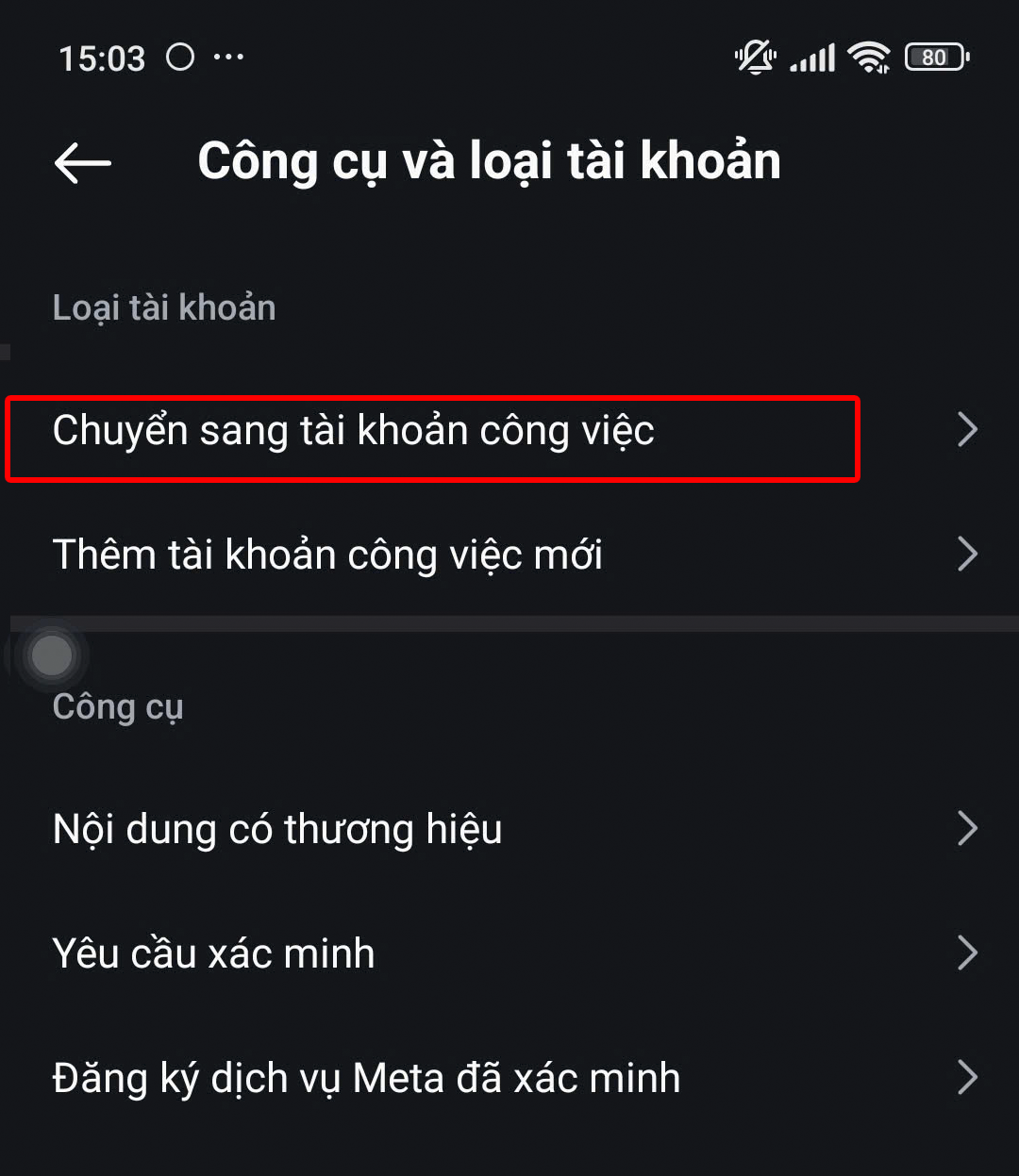
kéo xuống bên dưới rồi nhấn vào Chuyển sang tài khoản công việc.
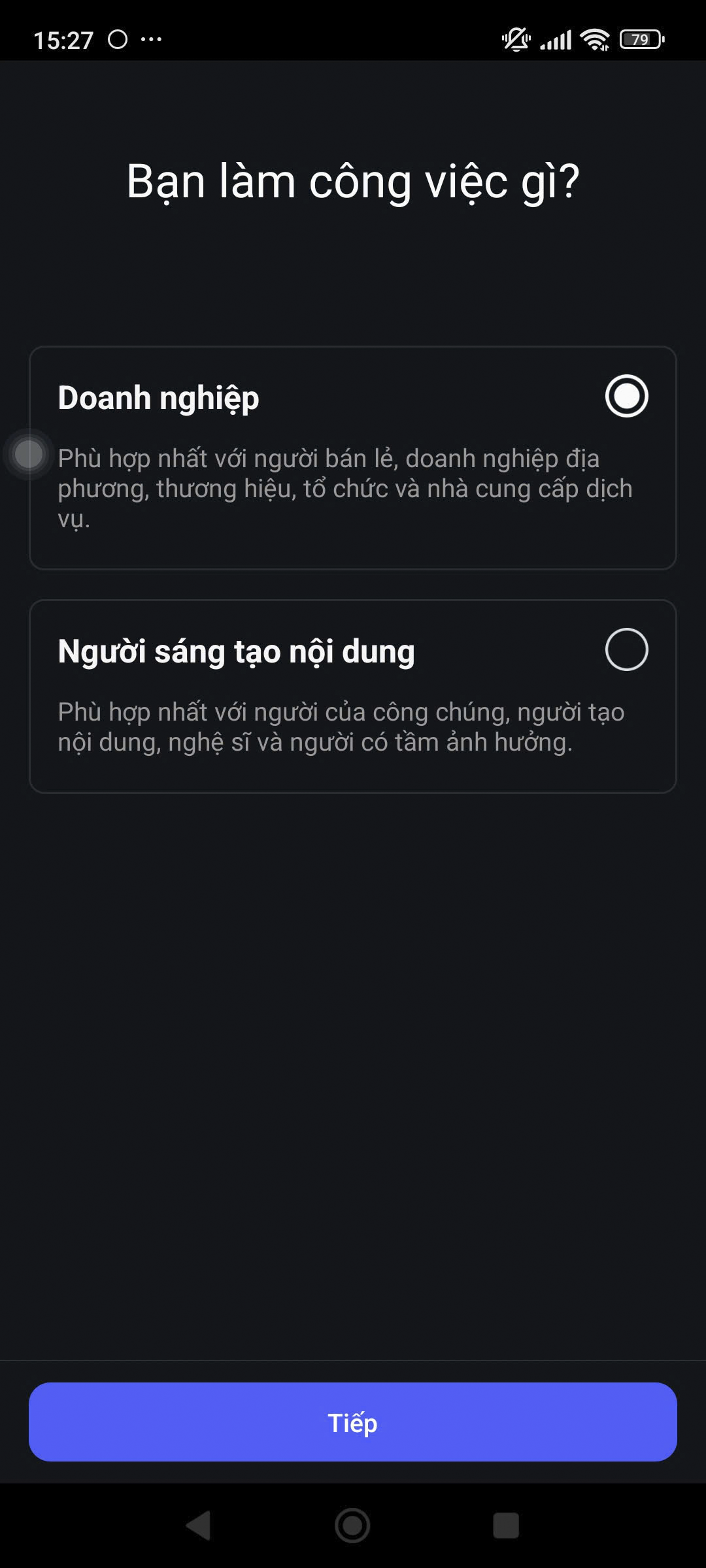
Chọn hạng mục mô tả chính xác nhất về doanh nghiệp của bạn, sau đó chọn Kinh doanh.
## 2. Kết nối Instagram Business với Fanpage Facebook
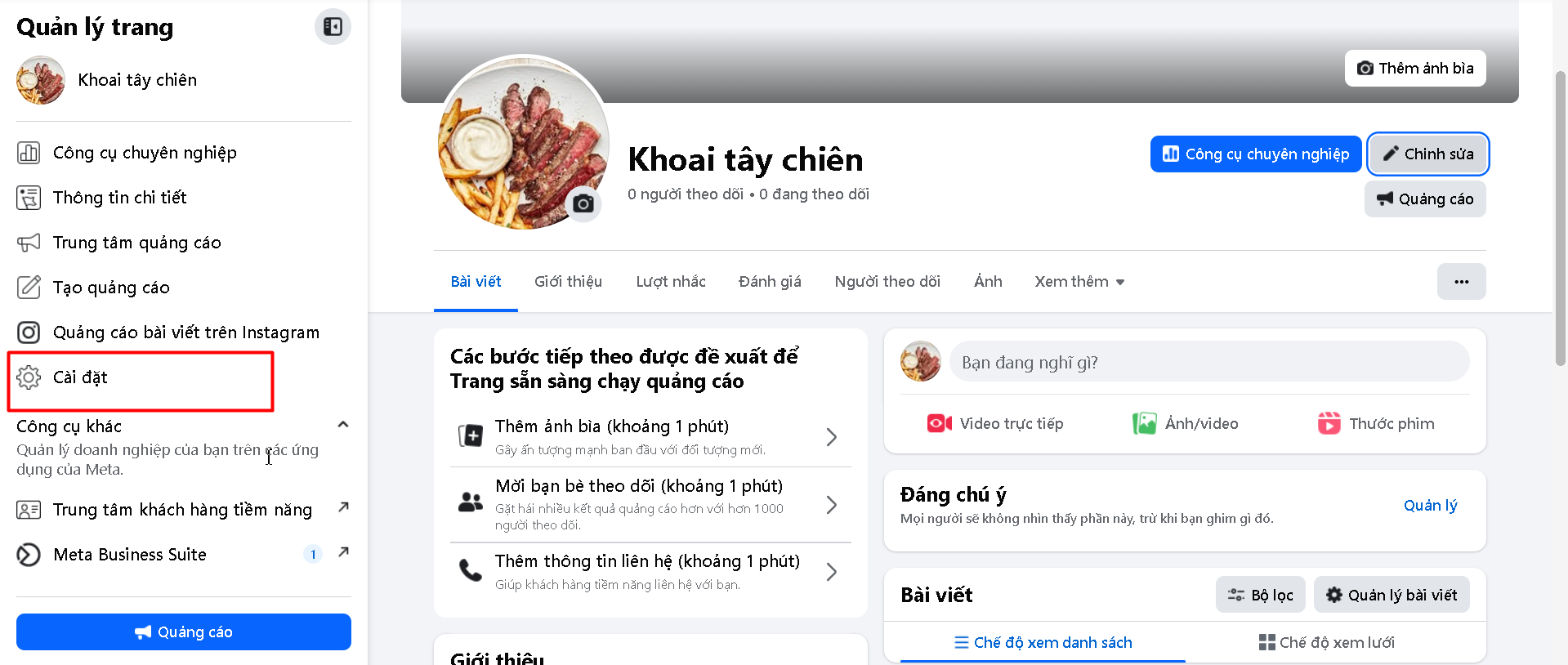
Bước 1: Vào Fanpage Facebook muốn kết nối tài khoản Instagram Business
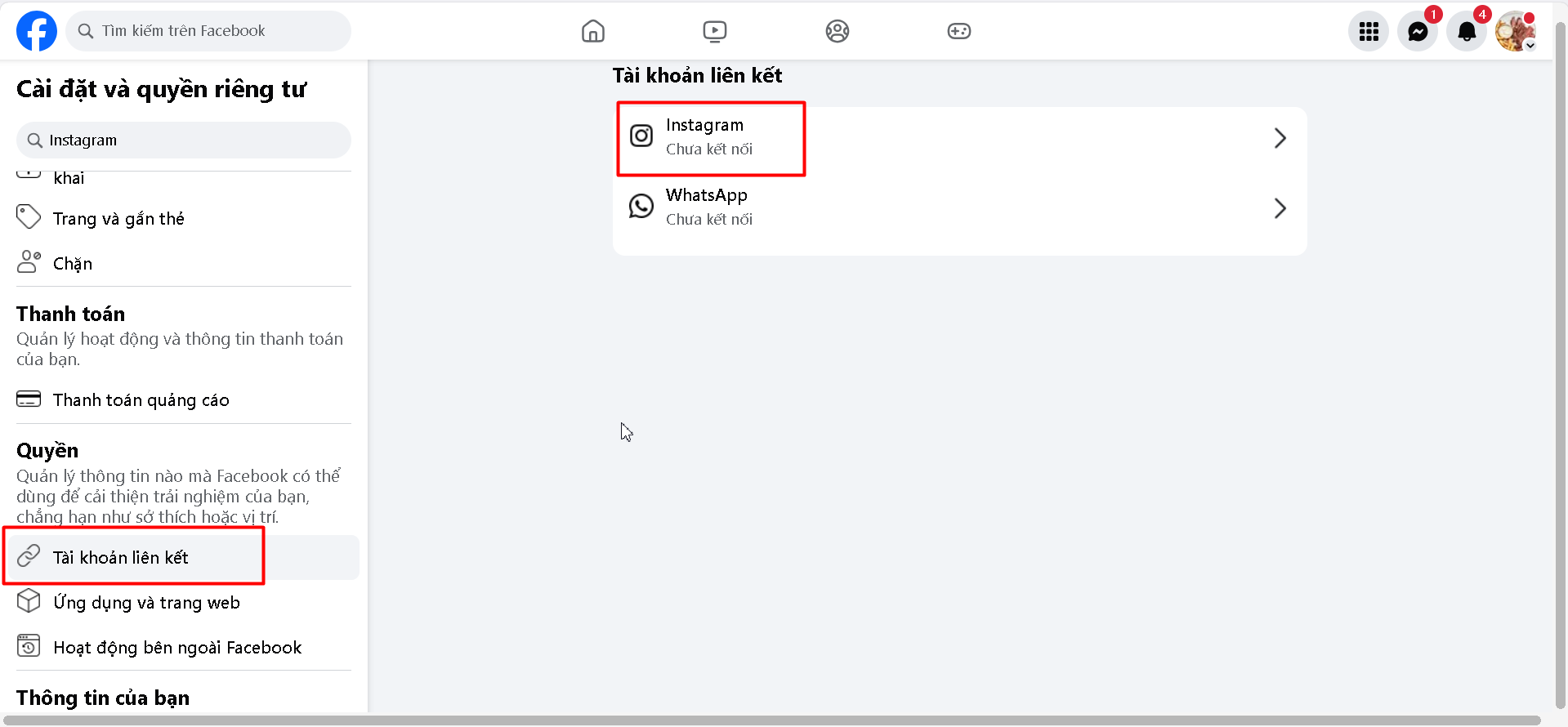
Bước 2: Vào Page setting, chọn Tài khoản liên kết
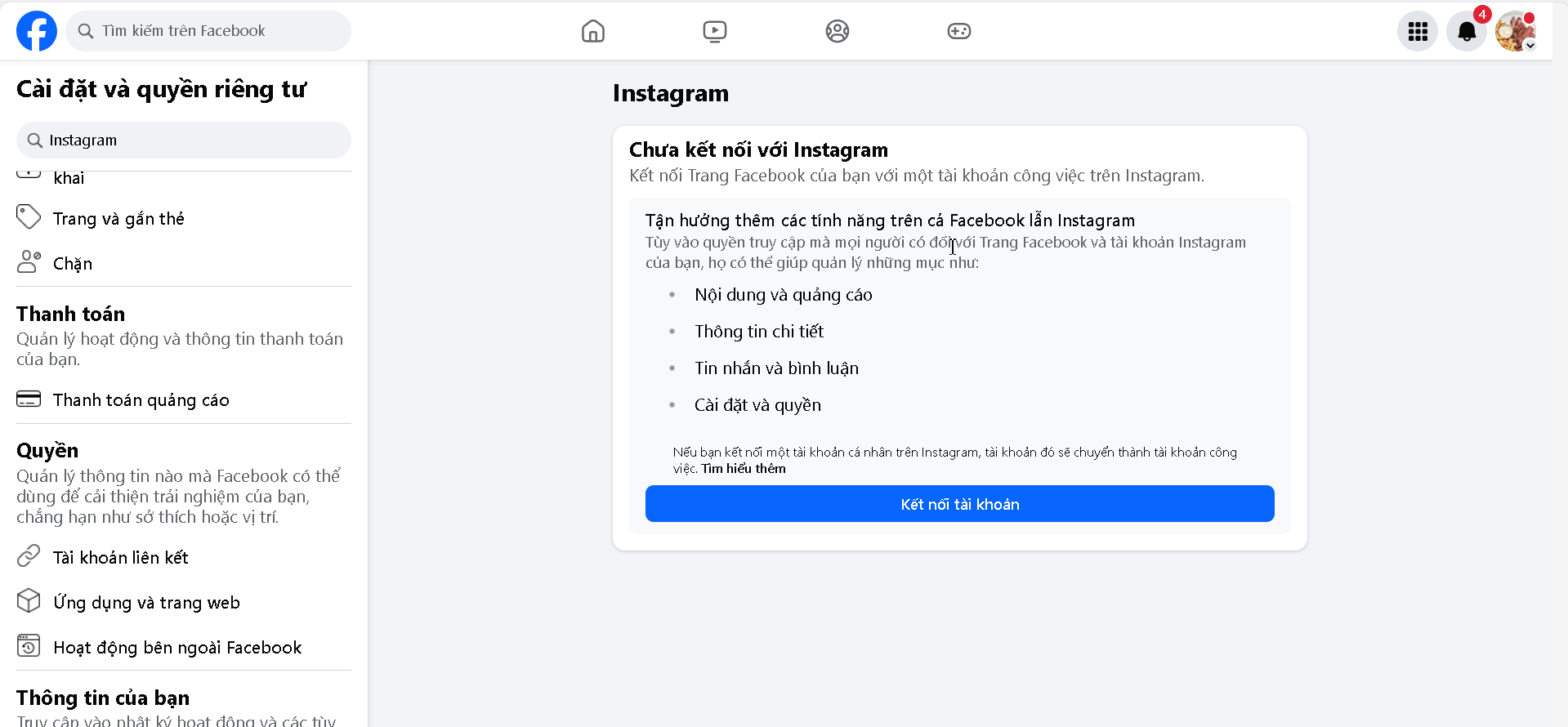
Bước 3: Chọn Instagram
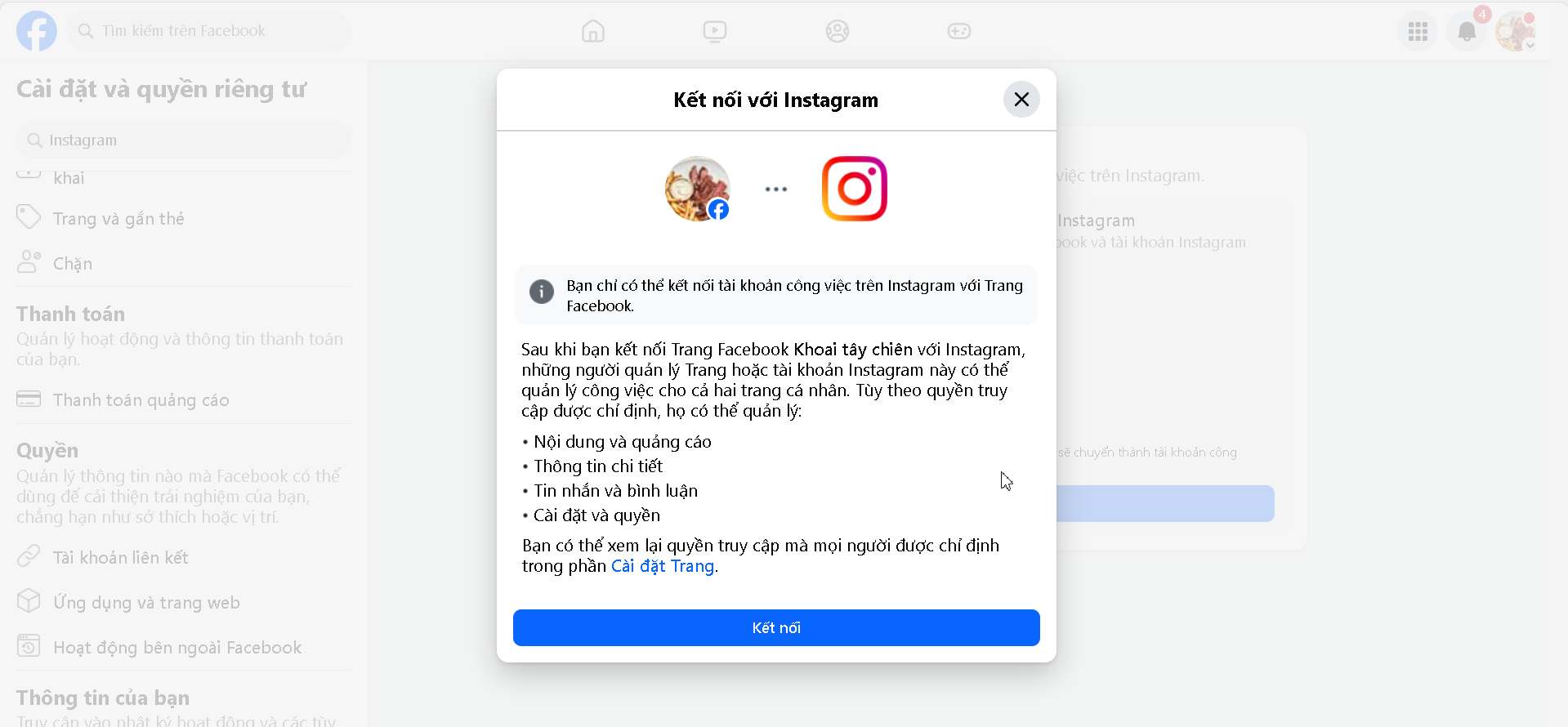
Bước 4: Chọn Connect Account
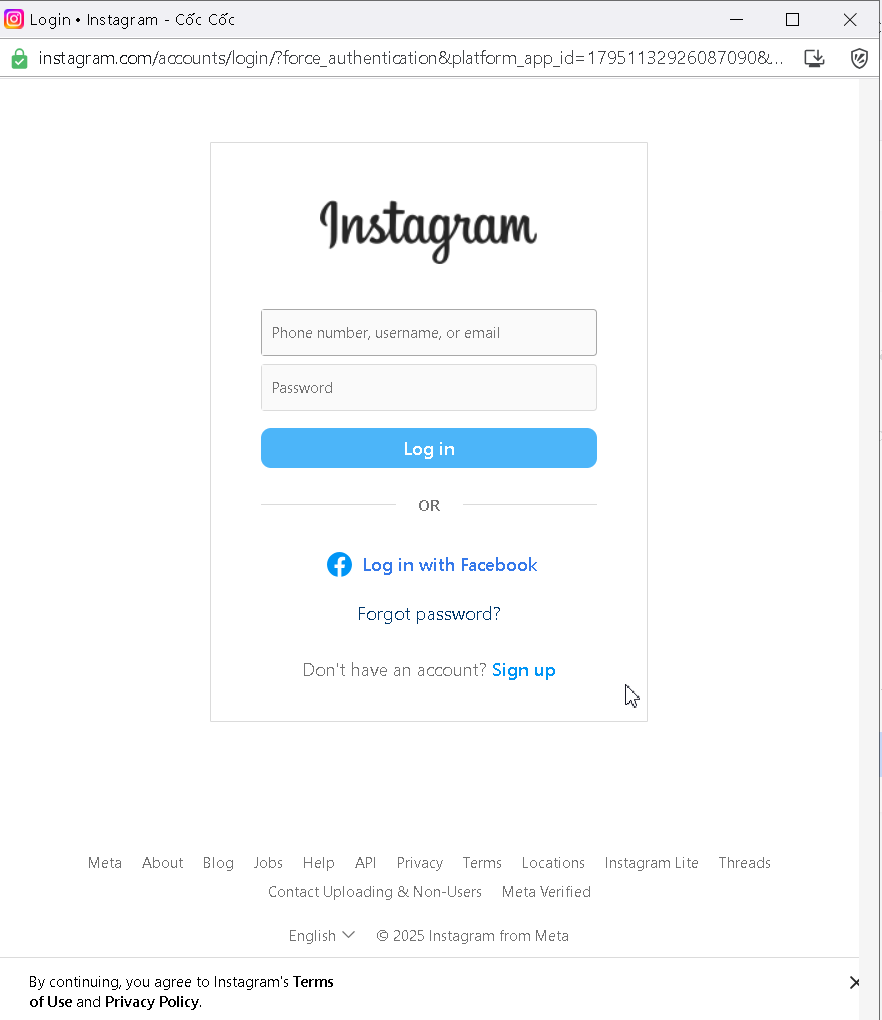
Bước 5: Đăng nhập vào tài khoản Instagram Business
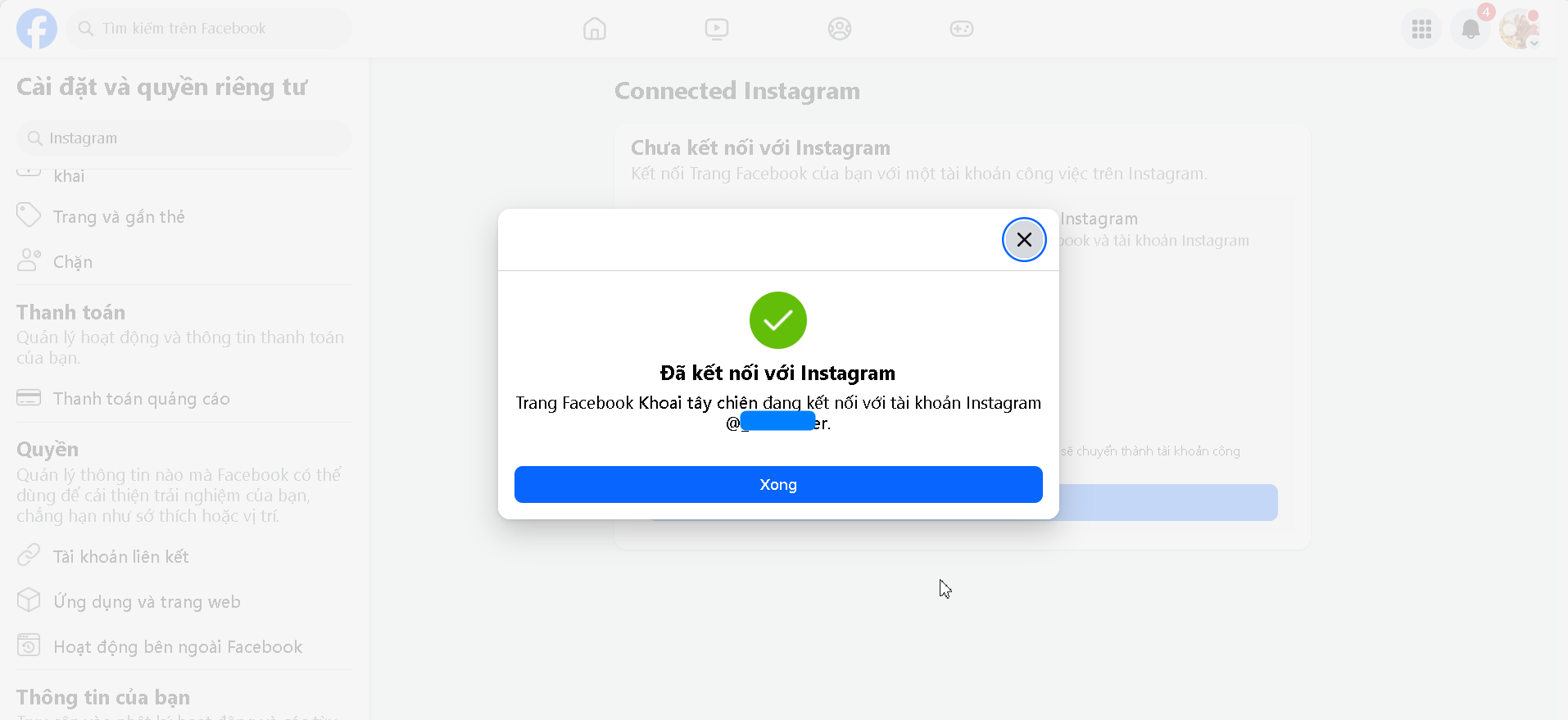
Khi kết nối thành công sẽ xuất hiện thông báo
3\. Tích hợp Instagram Business vào CRM
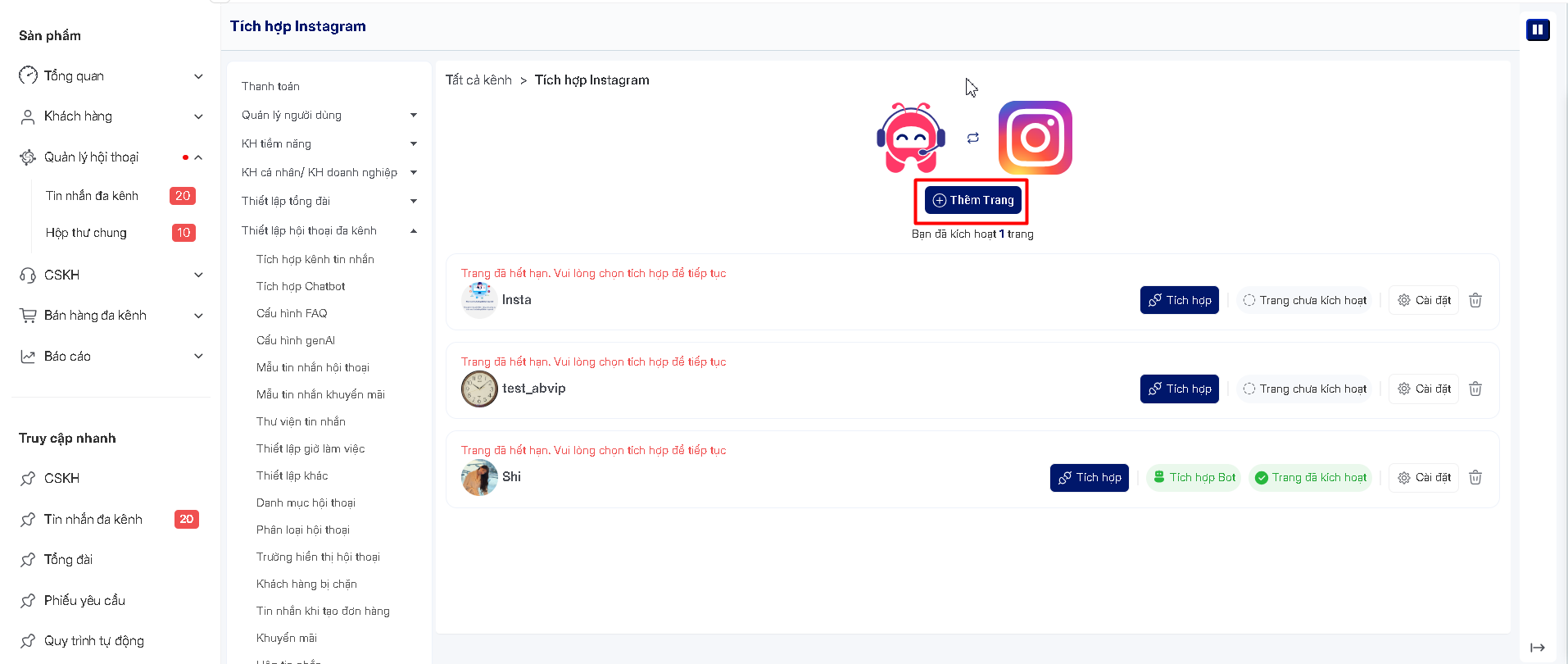
Bước 1: Vào Thiết lập -> Thiết lập Chat đa kênh -> Tích hợp kênh tin nhắn -> Tích hợp Instagram
Bước 2: Chọn nút Tích hợp
Chọn thêm trang
Bước 3: Đăng nhập vào Facebook quản lí Fan Page
Bước 4:Chọn fanpage đã tích hợp Instagram Business
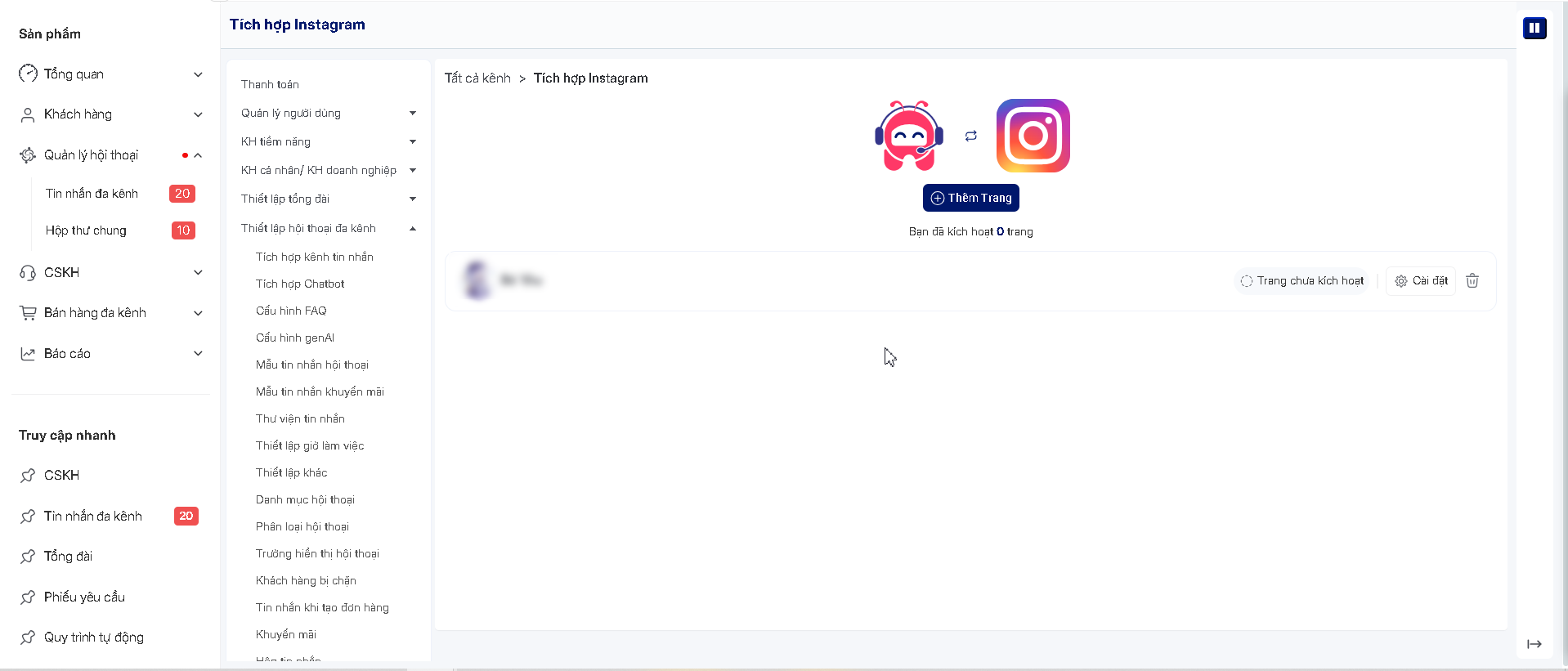
Giao diện sau khi tích hợp xong
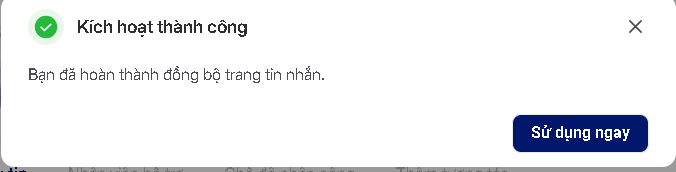
Chọn vào cài đặt để kích hoạt tài Trang, sau khi thành công sẽ xuất hiện thông báo