> For the complete documentation index, see [llms.txt](https://docs.antbuddy.com/llms.txt). Markdown versions of documentation pages are available by appending `.md` to page URLs; this page is available as [Markdown](https://docs.antbuddy.com/tai-lieu-antbuddy-huong-dan-su-dung-antbuddy-docs-user-guide/huong-dan-su-dung-quan-tri-khach-hang-antcrm-antcrm-customer-management/chat-da-kenh-conversation/thao-tac-voi-khach-hang-tai-omni-working-with-customers-in-omni/them-ghi-chu-cho-khach-hang-o-trang-omni-add-notes-to-customers-on-omni.md).
# Thêm ghi chú cho khách hàng ở trang Omni (Add notes to customers on Omni)
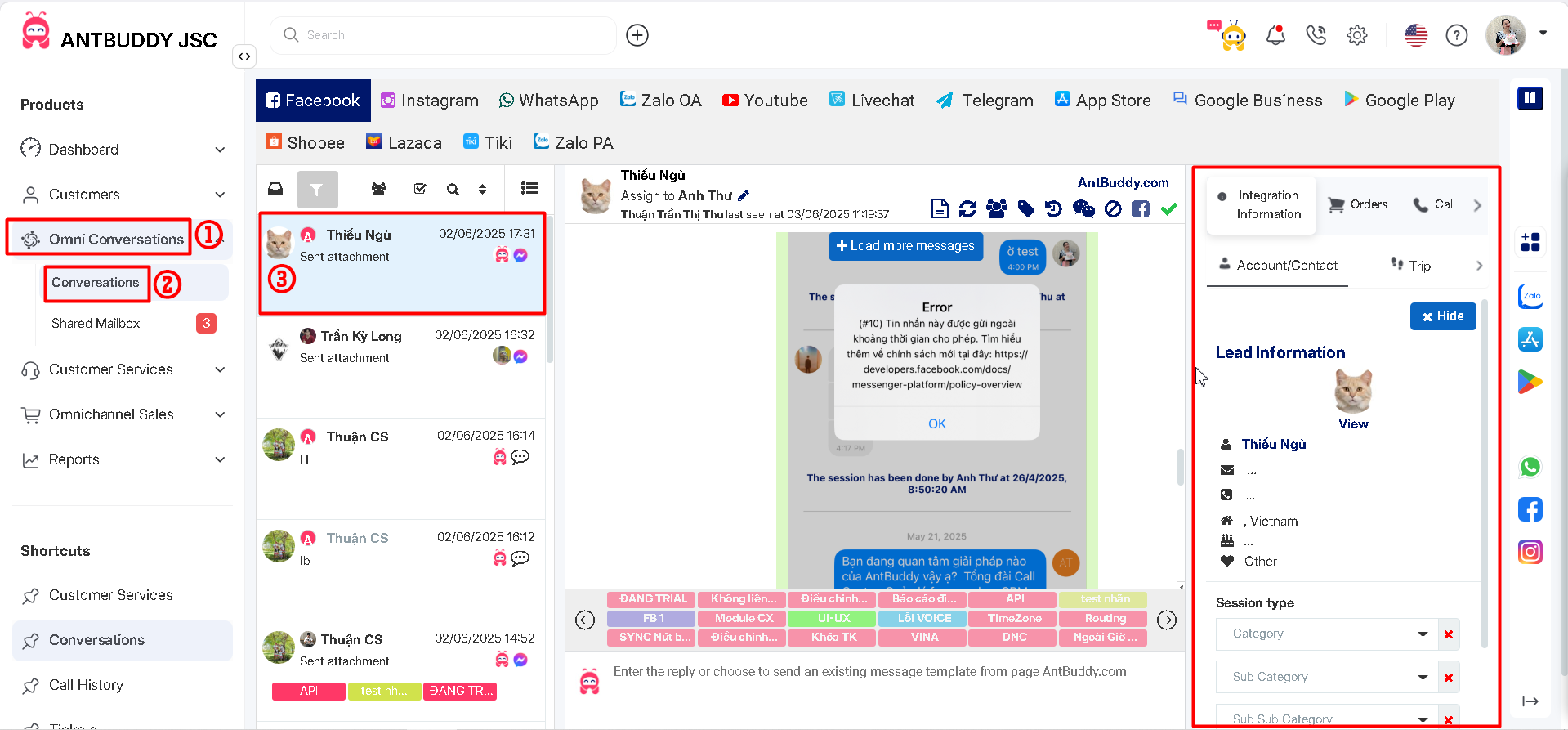
Bước 1. Vào xem 1 tin nhắn/comment bất kỳ → thông tin khách hàng sẽ hiện ở bên phải trang\
(Step 1. Go to view any message/comment → customer information will appear on the right side of the page)
Bước 2: kéo xuống bên dưới sẽ thấy mục Ghi chú \
(Step 2: scroll down to see Note site)
Bước 3: Sau khi thêm ghi chú, hệ thống sẽ tự động lưu\
(Step 3: after adding a note, the system will automatically save it)