> For the complete documentation index, see [llms.txt](https://docs.antbuddy.com/llms.txt). Markdown versions of documentation pages are available by appending `.md` to page URLs; this page is available as [Markdown](https://docs.antbuddy.com/tai-lieu-antbuddy-huong-dan-su-dung-antbuddy-docs-user-guide/huong-dan-su-dung-quan-tri-khach-hang-antcrm-antcrm-customer-management/chat-da-kenh-conversation/zalo-oa/3.-quan-ly-tin-nhan-message-management.md).
# 3. Quản lý tin nhắn (Message Management)
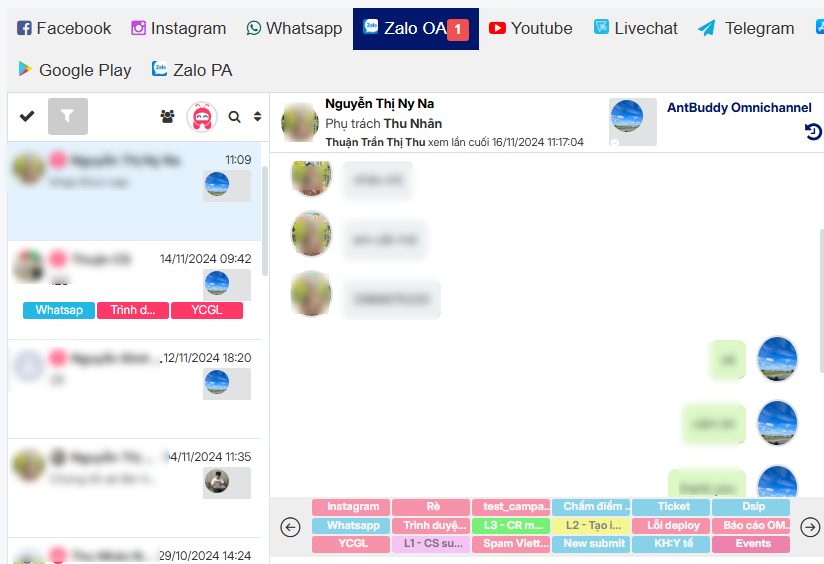
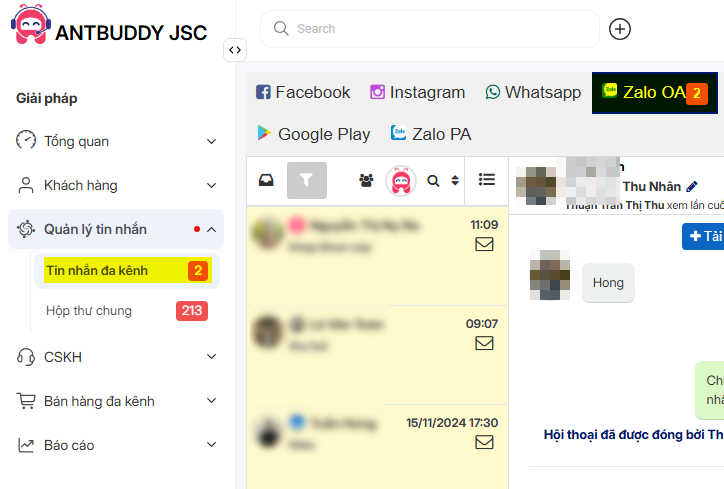
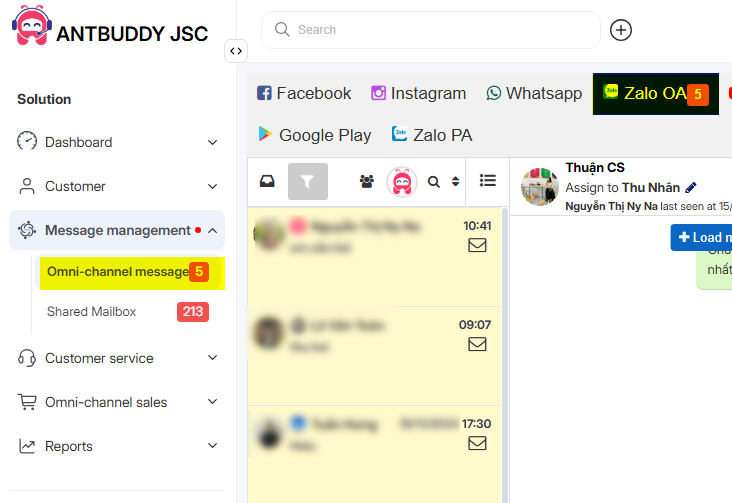
Khi có một khách hàng nhắn tin vào trang, tin nhắn sẽ được đưa về Omni - Zalo OA. Số lượng tin nhắn chưa đọc sẽ được hiển thị ở trên menu.
*(When a customer sends a message to the page, the message will be directed to Omni - Zalo. The number of unread messages will be displayed on the menu.)*


Để quản lý tin nhắn và hỗ trợ khách hàng nhanh nhất, nhân viên cần làm các bước sau:
*(To manage messages and support customers as quickly as possible, employees need to follow these steps:)*
Bước 1: Mở trang Omni
*(Step 1: Open the Omni page.)*
Bước 2: Click vào tab Zalo OA
*(Step 2: Click on the Zalo OA tab.)*
Bước 3: Click tab Inbox, bạn sẽ thấy tin nhắn vừa nhận từ khách hàng Zalo OA
*(Step 3: Click the Inbox tab, and you will see the message received from the Zalo OA customer.)*
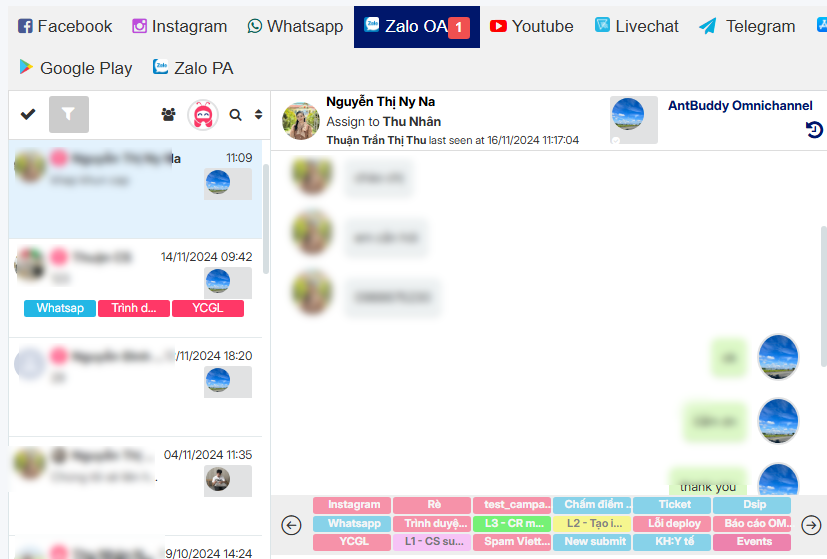
Tại đây bạn có thể nhìn thấy người được phân công hỗ trợ bằng cách rê chuột vào avatar nhỏ trên tin nhắn (xem hình).
*(Here, you can see the assigned support person by hovering over the small avatar on the message (see image).)*

Bước 4: Click vào tin nhắn để chat hỗ trợ
*(Step 4: Click on the message to start chatting and provide support.)*



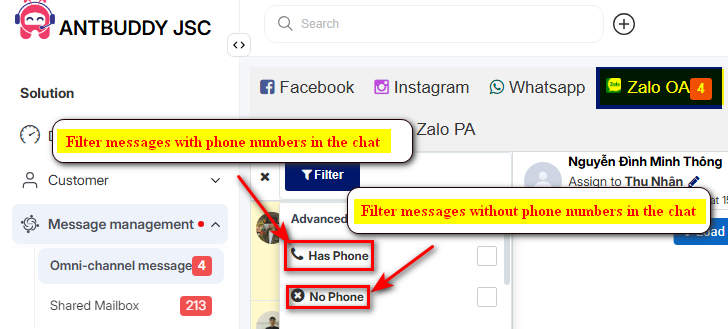 

Để quản lý tin nhắn và hỗ trợ khách hàng nhanh nhất, nhân viên cần làm các bước sau:
*(To manage messages and support customers as quickly as possible, employees need to follow these steps:)*
Bước 1: Mở trang Omni
*(Step 1: Open the Omni page.)*
Bước 2: Click vào tab Zalo OA
*(Step 2: Click on the Zalo OA tab.)*
Bước 3: Click tab Inbox, bạn sẽ thấy tin nhắn vừa nhận từ khách hàng Zalo OA
*(Step 3: Click the Inbox tab, and you will see the message received from the Zalo OA customer.)*


Để quản lý tin nhắn và hỗ trợ khách hàng nhanh nhất, nhân viên cần làm các bước sau:
*(To manage messages and support customers as quickly as possible, employees need to follow these steps:)*
Bước 1: Mở trang Omni
*(Step 1: Open the Omni page.)*
Bước 2: Click vào tab Zalo OA
*(Step 2: Click on the Zalo OA tab.)*
Bước 3: Click tab Inbox, bạn sẽ thấy tin nhắn vừa nhận từ khách hàng Zalo OA
*(Step 3: Click the Inbox tab, and you will see the message received from the Zalo OA customer.)*
 Tại đây bạn có thể nhìn thấy người được phân công hỗ trợ bằng cách rê chuột vào avatar nhỏ trên tin nhắn (xem hình).
*(Here, you can see the assigned support person by hovering over the small avatar on the message (see image).)*

Bước 4: Click vào tin nhắn để chat hỗ trợ
*(Step 4: Click on the message to start chatting and provide support.)*
Tại đây bạn có thể nhìn thấy người được phân công hỗ trợ bằng cách rê chuột vào avatar nhỏ trên tin nhắn (xem hình).
*(Here, you can see the assigned support person by hovering over the small avatar on the message (see image).)*

Bước 4: Click vào tin nhắn để chat hỗ trợ
*(Step 4: Click on the message to start chatting and provide support.)*