> For the complete documentation index, see [llms.txt](https://docs.antbuddy.com/llms.txt). Markdown versions of documentation pages are available by appending `.md` to page URLs; this page is available as [Markdown](https://docs.antbuddy.com/tai-lieu-antbuddy-huong-dan-su-dung-antbuddy-docs-user-guide/huong-dan-su-dung-quan-tri-khach-hang-antcrm-antcrm-customer-management/chat-da-kenh-conversation/zalo-oa/9.-them-mau-tin-nhan-adding-message-template/9.1.-them-sua-xoa-add-edit-delete.md).
# 9.1. Thêm/sửa/xóa (Add/Edit/Delete)
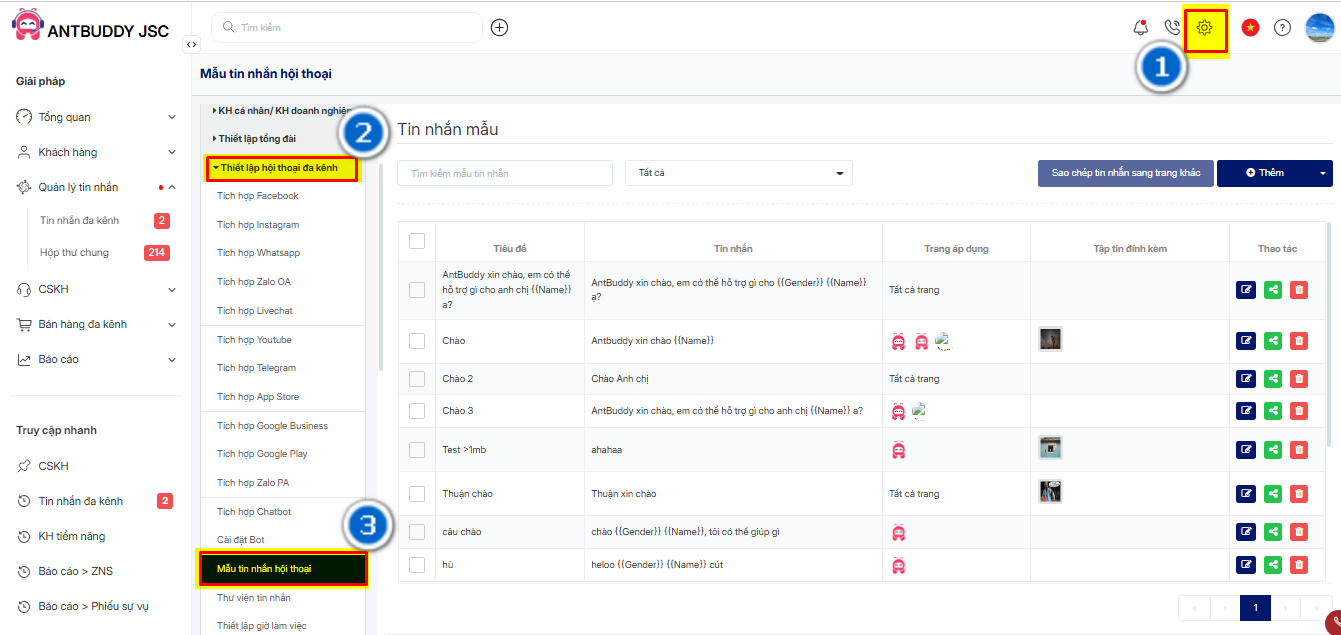
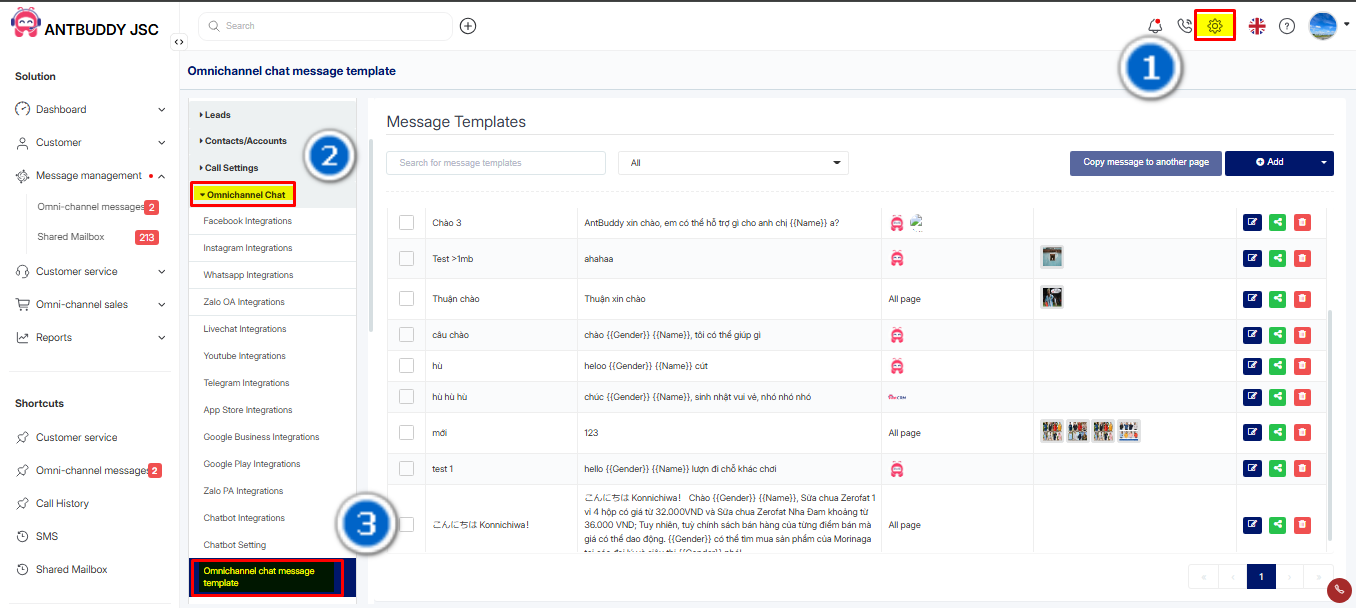
Bước 1: Trên thanh menu trái, click **Thiết lập**
*(Step 1: On the left menu bar, click on Settings.)*
Bước 2: Click **Thiết lập hội thoại đa kênh**
*(Step 2: Click on Multi-channel Conversation Settings.)*
Bước 3: Mở phần **Mẫu tin nhắn Omni**
*(Step 3:Open the Omni Message Templates section.)*
Tại trang Mẫu tin nhắn Hội thoại, bạn có thể thêm, sửa hoặc xóa tin nhắn. Dưới đây là hướng dẫn cụ thể
*(On the Conversation Message Templates page, you can add, edit, or delete messages. Below is a detailed guide.)*