> For the complete documentation index, see [llms.txt](https://docs.antbuddy.com/llms.txt). Markdown versions of documentation pages are available by appending `.md` to page URLs; this page is available as [Markdown](https://docs.antbuddy.com/tai-lieu-antbuddy-huong-dan-su-dung-antbuddy-docs-user-guide/huong-dan-su-dung-quan-tri-khach-hang-antcrm-antcrm-customer-management/chat-da-kenh-conversation/zalo-oa/9.-them-mau-tin-nhan-adding-message-template/9.1.-them-sua-xoa-add-edit-delete/9.1.1.-them-mau-tin-nhan-adding-a-message-template.md).
# 9.1.1. Thêm mẫu tin nhắn (Adding a Message Template)


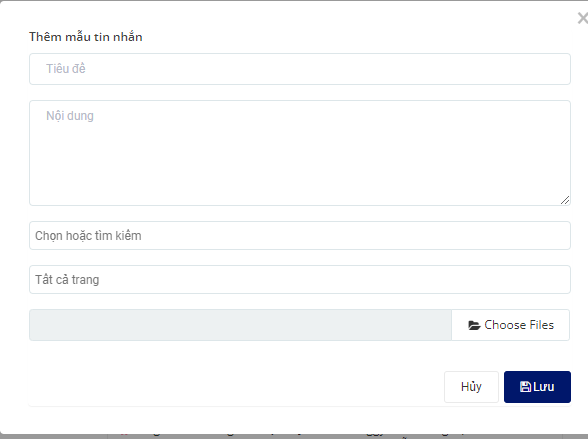
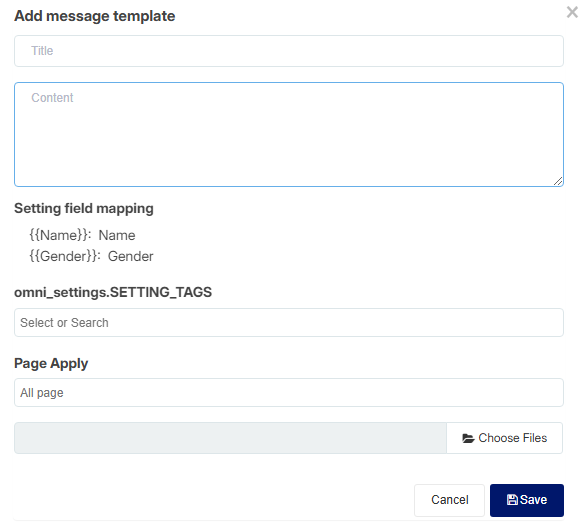
Bước 1: Nhập thông tin mẫu tin nhắn mới
*(Step 1: Enter information for the new message template.)*
* Tiêu đề: Không bắt buộc
(Title: Optional.)
* Nội dung: phần tin nhắn sẽ hiển thị khi gửi cho khách hàng
(Content: The message that will be displayed when sent to the customer.)
* Nhãn: chọn hoặc tìm kiếm nhãn để thêm vào mẫu tin nhắn (không bắt buộc)
*(Label: Select or search for a label to add to the message template (optional).)*
* Trang: Chọn trang áp dụng mẫu tin nhắn: Mặc định sẽ áp dụng Tất cả trang
*(Page: Select the page to apply the message template to: By default, it will apply to All Pages.)*
* Chọn file đính kèm(không bắt buộc)
*(Select an attachment (optional).)*
Bước 2: Nhấn **Lưu**