> For the complete documentation index, see [llms.txt](https://docs.antbuddy.com/llms.txt). Markdown versions of documentation pages are available by appending `.md` to page URLs; this page is available as [Markdown](https://docs.antbuddy.com/tai-lieu-antbuddy-huong-dan-su-dung-antbuddy-docs-user-guide/quan-tri-khach-hang-antcrm-antcrm-customer-management/phieu-yeu-cau-ticket/ticket-la-gi-cach-tao-moi-ticket-what-is-ticket-how-to-create-ticket/thiet-lap-cac-truong-thong-tin-bat-buoc-cua-ticket-add-feature-to-set-required-information-fields.md).
# Thiết lập các trường thông tin bắt buộc của Ticket (Add feature to set required information fields)
Thêm tính năng thiết lập trường thông tin bắt buộc trong Ticket. Cho phép user lựa chọn trường thông tin nào bắt buộc hoặc không bắt buộc:\
(Add a feature to set required information fields in Ticket. This allows users to choose which information fields are required or optional:)
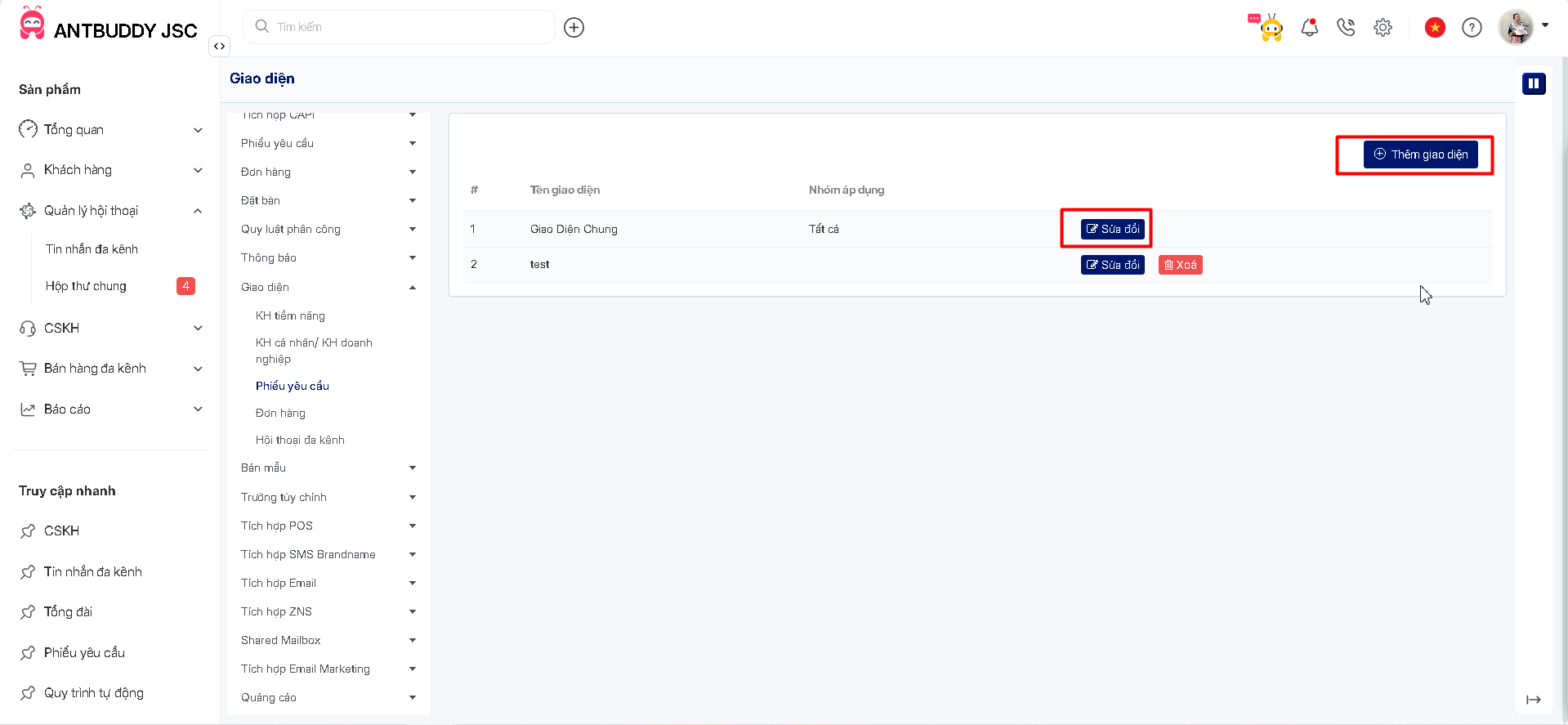
**Bước 1:** Vào Thiết lập -> chọn Giao Diện -> chọn Phiếu yêu cầu\
(**Step 1:** Enter Setting -> choose Layout -> choose Ticket )
**Bước 2:** Chọn hoặc tạo mới giao diện\
(**Step 2:** Edit or create new layout
**Bước 3:** Tick vào ô Trường bắt buộc mong muốn\
(**Step 3:** Tick the box for the desired required field)
**Bước 4:** Lưu\
(**Step 4:** Save)
**Lưu ý:** Khi chọn trường bắt buộc (ô viền đỏ), user phải nhập thông tin cho trường đó thì mới có thể Lưu/Đóng Ticket\
(**Note**: When choosing a required field (red bordered box), the user must enter information for that field before being able to Save/Close the Ticket)